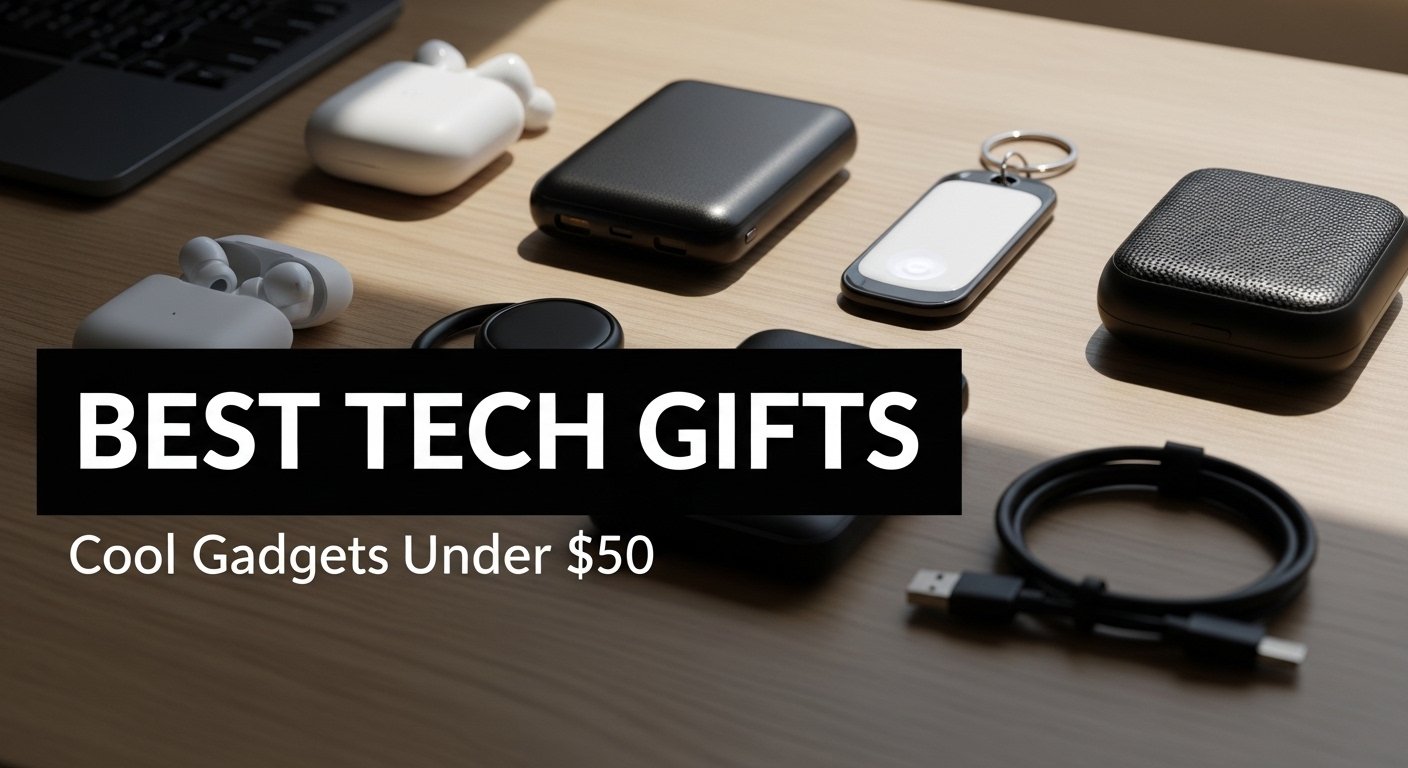
Best Tech Gifts: Cool Gadgets for Daily Life Under $50
Hunting for the best tech gifts that feel premium without annihilating your budget? You’re in the right place. This list is packed with cool tech gadgets under $50 that actually upgrade daily life—little wins like faster charge times, neater desk setups, better audio on the commute, and travel-ready tools that just work. Whether you’re shopping on Amazon for quick shipping or plotting a thoughtful recommendation for a gadget lover, these affordable tech picks bring real utility, sleek design, and a satisfying dose of wow for anyone’s routine.
What are the best budget tech gift ideas under $50 for daily life?
Top everyday gadget picks that feel premium
If you want a gift that looks sleek and feels more expensive than it is, think practical electronics with polished finishes and solid connectivity. A compact wireless charger with magnetic snap for iPhone models that support MagSafe can tidy a bedside table and keep the device aligned for a reliable 15W charge (or up to the phone’s limit). A Bluetooth speaker with waterproof rating and long battery life turns any room—or shower—into a mini concert, and a wireless keyboard paired with an ergonomic mouse instantly upgrades a cluttered desk. For portable storage, a miniature USB-C SSD enclosure lets someone repurpose an NVMe drive for fast, on-the-go file transfers. And don’t sleep on cable organizers and under-desk clips; they’re small, affordable tech heroes that make a setup feel intentionally designed.
How to choose a gift that upgrades a desk or travel setup
Look for a gadget that solves friction points. On a desk, that might be a multi-port USB hub to keep USB-A and USB-C accessories connected without dongle chaos, or a rechargeable wireless mouse with a smooth, low-latency connection. For travel, prioritize compact chargers with a foldable plug, a short braided cable with both USB-C and Lightning (or an adapter), and a power bank slim enough to slide into a backpack side pocket. A stand that holds a phone and earbuds simultaneously is a neat upgrade for hybrid workers hopping between desk and coffee shop. If the giftee uses a camera or records audio, a protective case for accessories plus a tiny aux splitter can be unexpectedly life changing when they’re juggling mics and headphones on the go.
Amazon best-sellers to consider for quick shipping
Amazon is stacked with best-sellers that balance affordability and quality. Consider a 15W magnetic wireless charger pad, a compact Anker power bank with USB-C in/out, a retro-styled wired gaming mouse that glides effortlessly thanks to a lightweight wire, or a Bluetooth speaker with strong pairing stability. Desk organizers that bundle cable management and a weighted dock are consistently high-rated. Keep an eye on verified reviews for battery performance and connectivity; these gifts are popular for a reason, and Amazon’s fast shipping makes last-minute gift panic a lot less stressful.
Which wireless charger should I buy: 15W magnetic vs standard USB charge?
Is 15W fast charge worth it for most phones?
For daily life, 15W wireless chargers are a sweet spot—fast enough for meaningful top-ups without cooking the battery. Many iPhone models and Android devices throttle at different rates, so the headline 15W doesn’t always translate to max speed, but it still offers a solid upgrade over older 5W pads. If the recipient often charges at their desk or bedside, 15W keeps pace with quick breaks between meetings or while winding down. Just remember: wired USB-C can still be faster for emergency boosts, but the convenience of drop-and-go wireless charging is what wins most people over.
Magnetic snap vs non-magnetic pads: what’s more convenient?
Magnetic chargers shine because the snap alignment means fewer missed coils and better charge consistency. For iPhone users with MagSafe cases, a magnetic pad feels like a miniature dock—lift with one hand, drop to charge, no fuss. Non-magnetic pads are fine if the device stays still, but one small bump can kill the charge. If the person uses their phone as a desk display for video calls or notifications, a magnetic stand that props the phone at an angle is the ultimate convenience upgrade.
USB cable length and desk placement tips for chargers
The best wireless chargers are only as good as their cables and placement. Aim for a 6-foot USB-C cable if you need flexibility to route around the desk and into a power strip or a USB hub under the table. If it’s for a nightstand, a 3-foot cable keeps things tidy. Use adhesive cable clips to anchor the wire, and avoid sharp bends to protect the internal strands. If you’re gifting, consider bundling a braided USB-C cable and a compact 20W USB charger brick so the receiver gets a ready-to-go setup.
How do I pick a reliable power bank and avoid battery anxiety?
When to choose anker vs other brands under $50
Under $50, Anker is a safe bet for consistent quality, accurate capacity claims, and good safety features. That said, other brands can be great if they list detailed specs, including output per port, total wattage, and support for USB-C Power Delivery. Read reviews for battery life after months of use and how warm the unit gets while fast charging. If the recipient is a frequent traveler or a gadget lover with multiple devices, a brand with strong warranty support offers extra peace of mind.
Capacity, ports, and pass-through charge explained
Capacity in mAh roughly translates to how many recharges you’ll get, but real-world results vary. For phones, 10,000 mAh is the sweet spot: compact, lightweight, and enough for two to three top-ups depending on the device. A 20,000 mAh bank is better for heavy users or tablet owners, but may stretch the under-$50 budget. Ports matter: look for USB-C for input/output plus at least one USB-A for legacy cables. Pass-through charge means the power bank can charge your phone while it’s charging itself—handy on a desk or hotel nightstand. Bonus points for a tiny LED display showing percentage, which is way better than vague blinking dots.
Travel-friendly sizes for laptop bags and camera kits
For backpacks and camera bags, choose a slim profile that slips alongside a laptop sleeve or a protective case without bulging. A compact power bank with a built-in cable is fantastic for day trips, reducing the need to dig for cords mid-commute. If the person shoots on a camera, make sure the bank supports steady output for accessories like lights or portable storage enclosures for an SSD. And if they fly often, remember TSA’s carry-on rule for lithium batteries—larger capacities must go in carry-on, not checked luggage.
What wireless headphone or audio gift is best under $50?
Call quality, battery life, and comfort comparison
Under $50, prioritize clear mics and stable Bluetooth pairing over fancy extras. Look for dual-mic ENC or cVc-style noise reduction for clearer voice pickup on video calls. Battery life of 6–8 hours per charge with a case total around 24+ hours hits a perfect balance. Comfort is personal, but silicone tips with multiple sizes help earbuds stay put; for on-ear options, look for cushioned pads and adjustable headbands with a lightweight build to avoid fatigue during long calls.
Earbuds vs on-ear headphone for commute and desk
Earbuds win for portability and a clean commute experience—easy to stash, quick to pair with an iPhone or Android, and fine for casual audio and podcasts. On-ear headphones can deliver fuller audio and better passive isolation for a desk environment, plus bigger buttons are easier to use mid-work. If the giftee hops between meetings and music, multipoint connectivity is a clutch feature, letting them pair to a laptop and phone at once without manual re-pairing each time.
Audio latency for streaming, gaming, and video calls
Latency can make or break the experience. Some budget earbuds offer low-latency gaming modes that reduce delay for mobile gaming or video calls. For wired gaming on a laptop or controller, a simple aux cable can still be the most reliable for zero lag. If the person streams on the go, consider an affordable Bluetooth speaker with a stable codec and a 3.5mm aux backup; having both options means audio stays smooth, whether wireless or wired.
Are compact keyboards and mouse combos worth it for a laptop setup?
Bluetooth vs 2.4 GHz USB dongle for stability
Both can be excellent under $50, but there are trade-offs. Bluetooth frees up USB ports and pairs nicely with tablets and phones, great for minimal travel setups. A 2.4 GHz USB dongle often wins on stability and lower latency for a desk-bound laptop or desktop. If the giftee switches devices often, a keyboard with multi-device Bluetooth keys is super handy. For the mouse, ensure smooth tracking on typical desk surfaces; pairing a mouse pad with cable organizers is an easy upgrade that keeps the workspace tidy.
Rechargeable battery convenience vs replaceable cells
Rechargeable keyboards and mice mean fewer cable swaps and no emergency hunts for AA batteries. A USB-C rechargeable mouse that lasts weeks per charge feels modern and eco-friendlier. Replaceable cells still make sense for travel where charging isn’t guaranteed, but slip in a small pack of batteries or a reminder to use rechargeables to keep e-waste down. If gifting, bundle a short USB-C cable so the recipient can top up from a laptop or hub.
Low-profile keys for typing vs gaming responsiveness
For typing, low-profile scissor switches or well-tuned membrane keys feel crisp and quiet—perfect for open offices or late-night writing. For gaming, a mechanical-feel keyboard with tactile feedback under $50 can deliver satisfying responsiveness without the premium price tag. Some compact boards offer retro styling inspired by SNES or Game Boy colorways, blending nostalgia with modern Bluetooth or USB connectivity for a fun, affordable desk statement.
What wired gaming accessories under $50 make the biggest difference?
Retro-styled wired gaming mouse with lightweight wire
A wired gaming mouse removes battery anxiety and keeps latency minimal. Look for a lightweight cable or paracord-style wire to reduce drag, modern sensors for precise tracking, and an ergonomic shell that doesn’t cramp during long sessions. Retro colorways can be a fun twist—think soft grays and purple accents reminiscent of classic consoles—without sacrificing performance.
Mechanical-feel keyboards on a budget
Many affordable boards simulate mechanical switches with pronounced tactility, offering a crisp feel ideal for both gaming and typing. Bonus features like adjustable tilt, N-key rollover, and subtle backlighting help under-$50 keyboards punch above their class. If the giftee loves retro vibes, a retro keyboard with round keycaps and modern USB-C or Bluetooth is a crowd-pleaser that doubles as desk decor and daily driver.
USB hubs and desk cable management for clean setups
A tidy desk can be the most life changing upgrade. A powered USB hub with multiple USB-A and USB-C ports handles flash drives, a wireless charger, a webcam, and a wired gaming mouse all at once. Add adhesive mounts and a simple cable organizer to route wires along the back of the desk. The result is a clean setup that feels premium, even though every accessory is affordable.
How do I choose a multi-device charger for phone, earbuds, and watch?
Two-in-one stands vs flat pads for bedside charge
Two-in-one stands elevate a phone with magnetic snap and park earbuds on a secondary coil—great for a small nightstand where vertical space beats horizontal sprawl. Flat pads are better if you share a surface or prefer a minimal look that accommodates different device sizes. If shopping on Amazon, verify watch compatibility; some stands require the original watch puck inserted, while others have built-in charging modules.
Power bank with wireless pad vs wired output
Power banks with integrated wireless pads are convenient for a quick drop charge on a desk or airplane tray, but wired USB-C output is still faster and more efficient. The ideal combo is a bank with both: wireless for convenience, USB-C PD for speed, and a bonus USB-A for older cables. This versatility makes a single accessory handle phone, earbuds, and even small cameras in a pinch.
Safety features: over-current, temperature, and battery health
Good chargers include over-current protection, temperature control, and trickle charge near 100% to preserve battery health. Brands like Anker tend to emphasize safety circuitry, but always check specs. If the gift is for bedside use, a low-heat design and a soft status LED that can be dimmed or disabled are thoughtful touches that improve sleep hygiene.
What are clever travel tech gifts that save space and time?
Universal USB chargers and cable kits
A universal wall charger with interchangeable plugs or a compact 2-port USB-C + USB-A brick keeps international travel simple. Pair it with a slim cable kit that includes USB-C to USB-C, a USB-C to Lightning adapter, and a USB-C to micro adapter. A short braided cable for the plane tray and a longer cable for the hotel desk make the kit extra useful.
Compact power bank for day trips and flights
A palm-sized power bank with 10,000 mAh, 20W USB-C output, and a clear LED percentage display is the everyday MVP. Some models have a built-in cable that flips between USB-C and Lightning, which reduces clutter in a backpack. If the giftee carries a camera, pick a power bank that supports steady current for accessories—perfect for charging a camera cage monitor or portable storage on set.
Protective cases for headphone and camera accessories
A hard-shell organizer can corral earbuds, spare tips, cables, an SD card case, and a tiny SSD, keeping everything safe from bumps and spills. Look for waterproof or water-resistant exteriors, mesh pockets, and customizable dividers. It’s not flashy, but the utility is unbeatable—especially for creators who need quick access to audio adapters and camera bits while moving fast.
Can a 65W USB charger be a good gift if I’m on a budget?
When 65W matters for laptops vs phones at 15W
Absolutely. A 65W USB-C charger can power many ultrabooks, support fast laptop top-ups on the go, and still trickle a phone at 15W via a second port if available. For phones alone, 65W is overkill, but if the recipient has a laptop or plans to upgrade devices, the extra headroom is smart future-proofing. Many 65W bricks now slip under $50 during sales, making them standout best tech gifts for students and commuters.
Single-port vs multi-port trade-offs
Single-port 65W chargers are tiny and great for a laptop. Multi-port chargers share wattage across USB-C and USB-A, which is perfect for charging a laptop and phone together—just note the split; you may get 45W + 18W or similar. If bedside use is the goal, a multi-port option reduces the need for extra bricks and keeps the cable situation clean.
Future-proofing a gift for device upgrades
Gifting a 65W charger with USB-C PD means it’ll handle today’s phone at 15W and tomorrow’s more power-hungry devices. If your person upgrades to a more demanding laptop or adds a tablet to their daily life, the charger remains relevant. Look for foldable prongs, GaN tech for a smaller footprint, and a durable braided cable to round out the package.
What retro-inspired gadgets make fun, affordable gifts?
Retro keyboards with modern bluetooth and USB options
Retro keyboards blend classic looks with modern connectivity—think typewriter-style caps, soft gray chassis, and hot-swap vibes on a budget. Many offer Bluetooth plus USB-C wired modes, letting you switch from laptop to tablet seamlessly. They’re perfect for a desk where personality matters, and they still deliver on everyday typing comfort.
Vintage-look wired gaming mouse with modern sensors
Pair a vintage-inspired shell with a cutting-edge sensor and you get a wired gaming mouse that’s both nostalgic and precise. Lightweight wires keep drag low, and tasteful colorways nod to SNES and Game Boy aesthetics without sacrificing performance. It’s a playful yet practical accessory for anyone who games after work.
Portable speakers with classic styling and solid audio
Portable speakers with fabric grilles, analog-style knobs, and grippy rubber feet bring old-school charm while delivering punchy audio. Add waterproofing for poolside vibes, a long-lasting rechargeable battery, Bluetooth 5.x for stable pairing, and maybe an aux port for zero-lag wired playback. It’s a crowd-pleaser that fits living rooms, kitchens, and travel.
How do I match a tech gift to someone’s daily routine?
Desk workers: keyboard, mouse, charger, and cable picks
For desk dwellers, target efficiency and comfort: a low-profile wireless keyboard, an ergonomic mouse, a 15W magnetic wireless charger for quick drop charges, and a tidy cable organizer to banish cord spaghetti. Add a compact USB hub to expand ports for an external SSD, webcam, or microphone. This combo quietly transforms productivity and keeps the desk looking pro.
Commuters: headphone, power bank, and cable organizers
Commuters need reliable audio, steady battery, and minimal bulk. Choose earbuds with strong call quality and quick pairing, a 10,000 mAh power bank with USB-C PD, and a slim pouch to keep cables from tangling in a backpack. Toss in a short USB-C cable and a tiny Lightning adapter if they’re on iPhone. These small accessories make daily life smoother from bus to office to gym.
Creators: audio upgrades, camera add-ons, and hubs
Creators thrive on dependable connectivity and portable storage. Gift a quality Bluetooth speaker for reference listening, a compact USB hub with SD card reader, and a protective case for camera batteries, chargers, and an SSD. If they edit on a laptop, a 65W USB-C charger plus a braided cable ensures they can power up anywhere. Add a low-latency wired headset or an aux cable as a backup for recording or live streaming. These cool tech gadgets aren’t flashy for flash’s sake—they’re real upgrades that let ideas move faster.